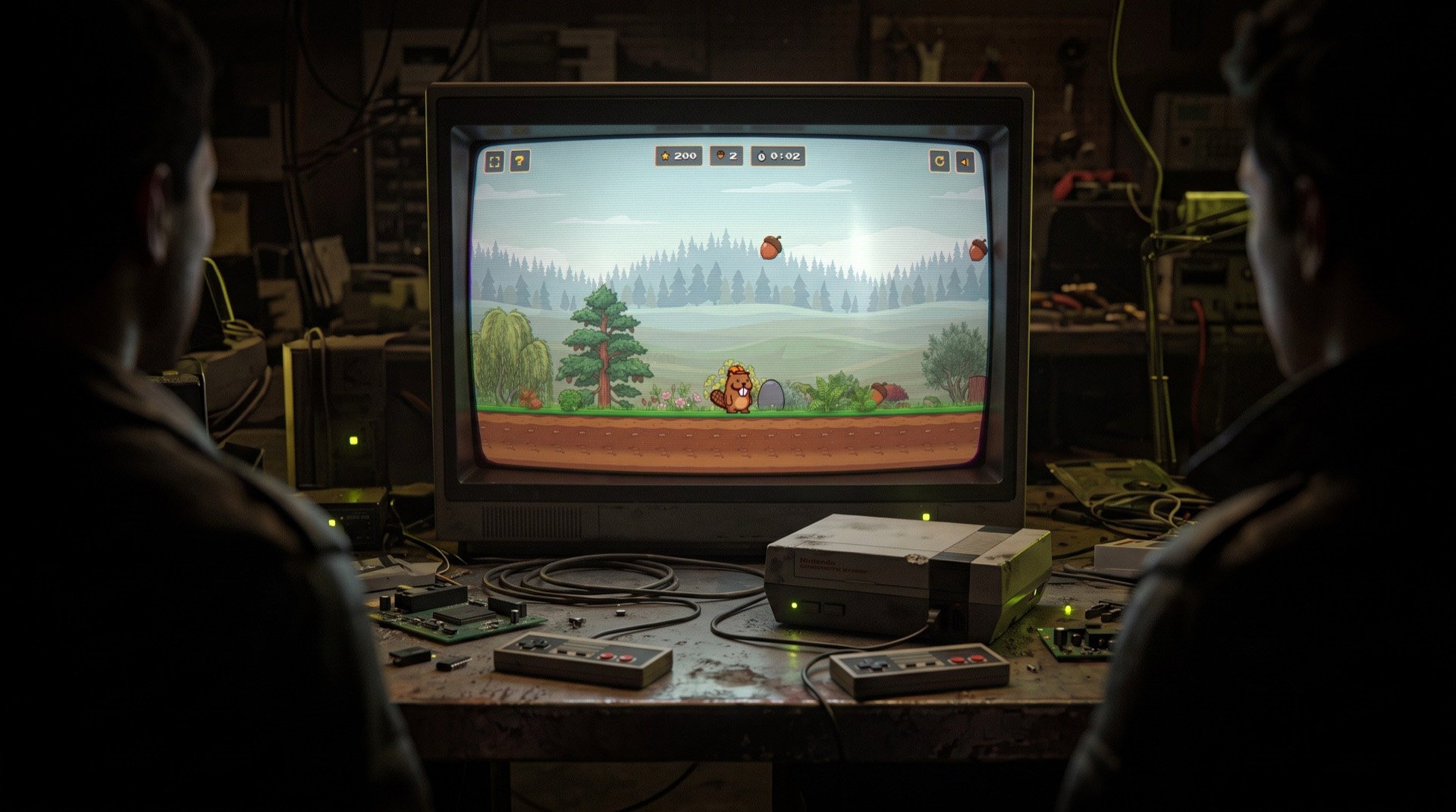
How I Created a Mario-Style Side-Scroller with AI
By Robby McCullough · Published June 29, 2026
I co-founded a WordPress page builder called Beaver Builder, and lately I have been building small one-off pages and games with Beaver Builder AI, pushing them straight to the web through its MCP server. The idea is half fun, half strategy: make something people actually want to play with, and use it to build a little excitement ahead of our launch.
After a weekend of "one more tweak" sessions, I'm excited to show off Super Beaver World, a Mario-style side-scroller I built with AI. It is a full HTML5 canvas platformer with parallax forests, a physics-based water crossing, randomized runs, a global leaderboard, mobile touch controls, and spring-damper math so a floating log dips realistically when the beaver lands on it.
You can play it here.
The sprites set the whole tone
The idea that sparked this project was a single experimental image prompt. I wanted to see if an AI image generator could take our logo caricature and turn it into an animation-ready sprite.
I'd like to do another image generation project using our beaver caricature. I'd like to create a sprite that I can use for a browser-based game, something kind of like a Super Mario Bros. side scroller. I want the beaver to be the character. Please create a sprite that shows several different variations of the beaver that we can use to animate the game. Use Super Mario Bros. as a reference for what variations we need. I imagine the beaver will need to be able to run and jump, and maybe jump with a hand up in the air to break blocks.
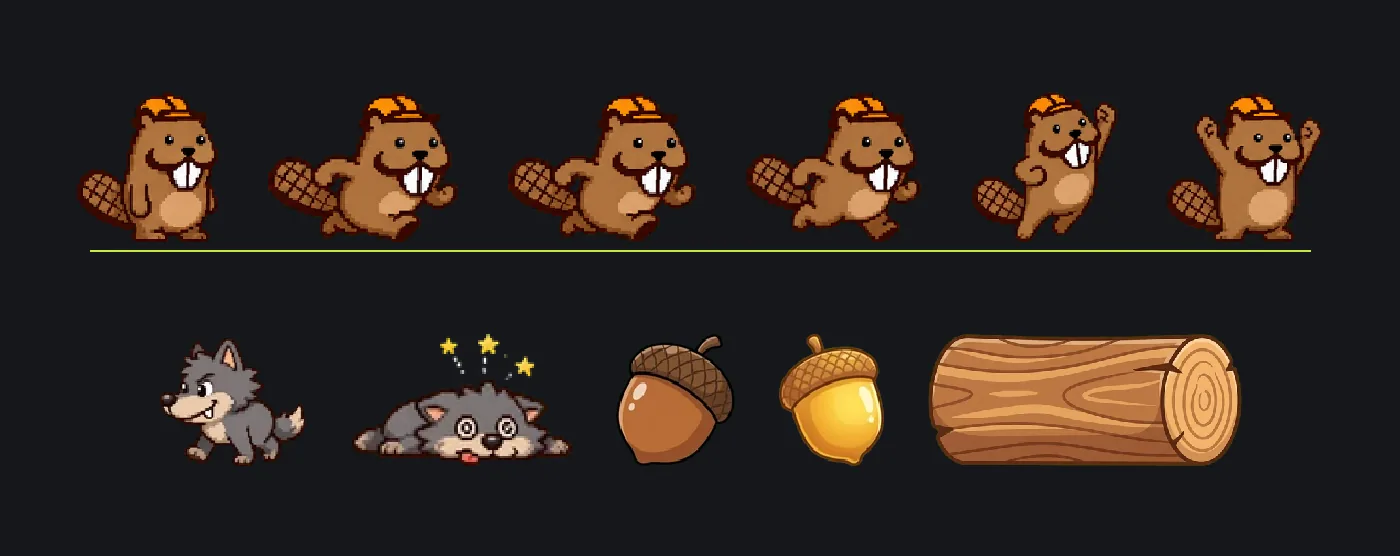
The look of the game lives and dies on the sprites. The beaver, wolves, acorns, trees, dirt, and grass are all pixel art with a limited palette and chunky frames. The NES-era style tells you how to feel about the game before you press a single key.
I bounced between Claude Code, ChatGPT, and Gemini throughout the process. Claude would help draft prompts based on the sprites or background layers the game needed. I would give those prompts to both image generators, compare the results, and pick the version that fit the game best.
Building depth with parallax
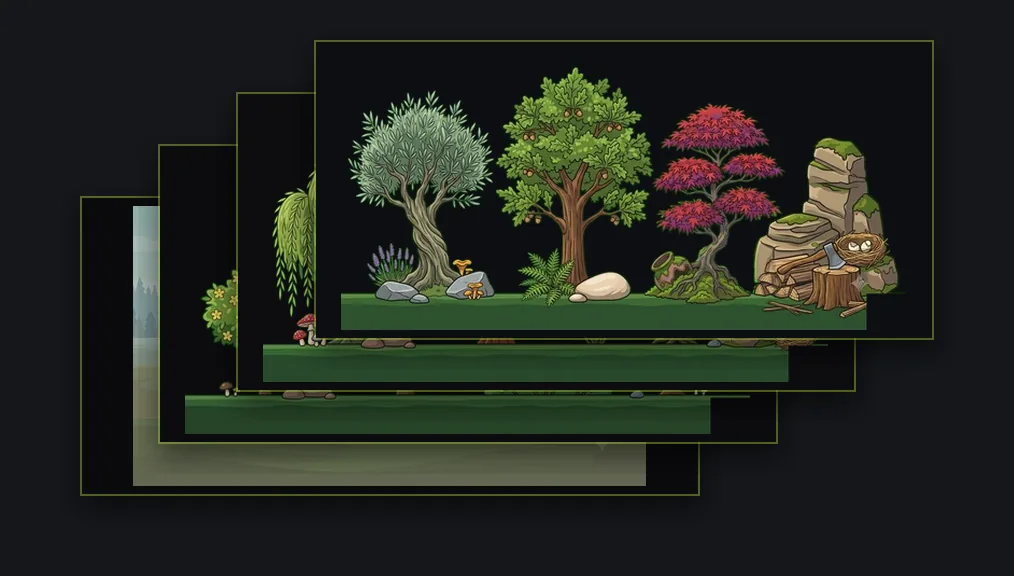
With a single background layer, the beaver looked like he was running in place. Parallax fixed that. The distant hills barely move, the nearer trees slide by faster, and the ground moves fastest. Nothing actually has depth, but your eye fills it in. It is a cheap trick that has been making side-scrollers look good for forty years, and it still works.
The build
The entire game started as a single index.html file. It uses Canvas 2D, a fixed-timestep game loop, a 48-pixel tile grid, AABB collision, and a camera that follows the beaver. No game engine.
I described mechanics in plain English and Claude Code wrote the game loop, collision resolution, camera behavior, enemy logic, and physics. The pitch was simple: run right, collect acorns, jump on wolves, cross a river using a floating log, and reach the dam.
That looks straightforward until you try to make the jump feel good.
The polish rabbit hole
Claude got me to a playable game quickly, but as I'm finding with many AI projects, taking something the last mile by hand is what separates slop from something worth sharing.
I added squash-and-stretch so the beaver flattens slightly when he lands. Then I asked to tone it down. I added landing dust, ambient particles, a soft vignette, contact shadows under the bushes, and a little wind sway in the grass.
I spent a non-trivial amount of time deciding whether the jump should scale by 1.04 or 1.06. It is 1.04. I'm at peace with this now. The floating log now bobs and dips under the beaver's weight with a little spring physics because most players would never notice if it did not, but I would.
The first time I loaded the game on my phone, I ran left and died immediately. I added an invisible wall. "Don't let the player walk into the void" turns out to be a feature.
Making it worth another run
The first version was fun once. I wanted a reason to play it again.
The super jump became one part of that. Stomp a wolf and hit jump inside a short combo window, and the beaver launches into a bigger jump. There is almost always a slightly better run sitting there: another combo you could have chained, an acorn you could have grabbed, or ten seconds you could have shaved.Chain another wolf or grab an acorn before landing and you're awarded more points. It gives players a reason to think about their route instead of simply running from left to right.
There is also some randomness in each playthrough. The game moves the special leaf block and adds a few different wolves, acorns, and obstacles. The overall level stays recognizable, but each run hands you a slightly different setup.
Finally, there is the time bonus. Finishing faster scores more, which creates tension between grabbing every acorn and booking it to the dam.
Getting it into Beaver Builder
Once the standalone game worked, I pushed the entire thing into Beaver Builder through its MCP server to see whether it would survive.
The import itself went shockingly well. I handed the MCP the entire game, one roughly 90KB HTML file, canvas and physics engine and all. It came back as a single clean block on a real Beaver Builder page. No mangling and no shattering it into forty little modules.
Then the useful problems started.
A canvas game wants to own the whole screen. It centers itself against the viewport, paints a full-bleed backdrop, and swaps in touch controls on a phone. A CMS page is the opposite. It is made of wrappers, headers, content areas, and theme CSS.
The frame drifted off center. The backdrop ended in a hard line. Mobile did not work.
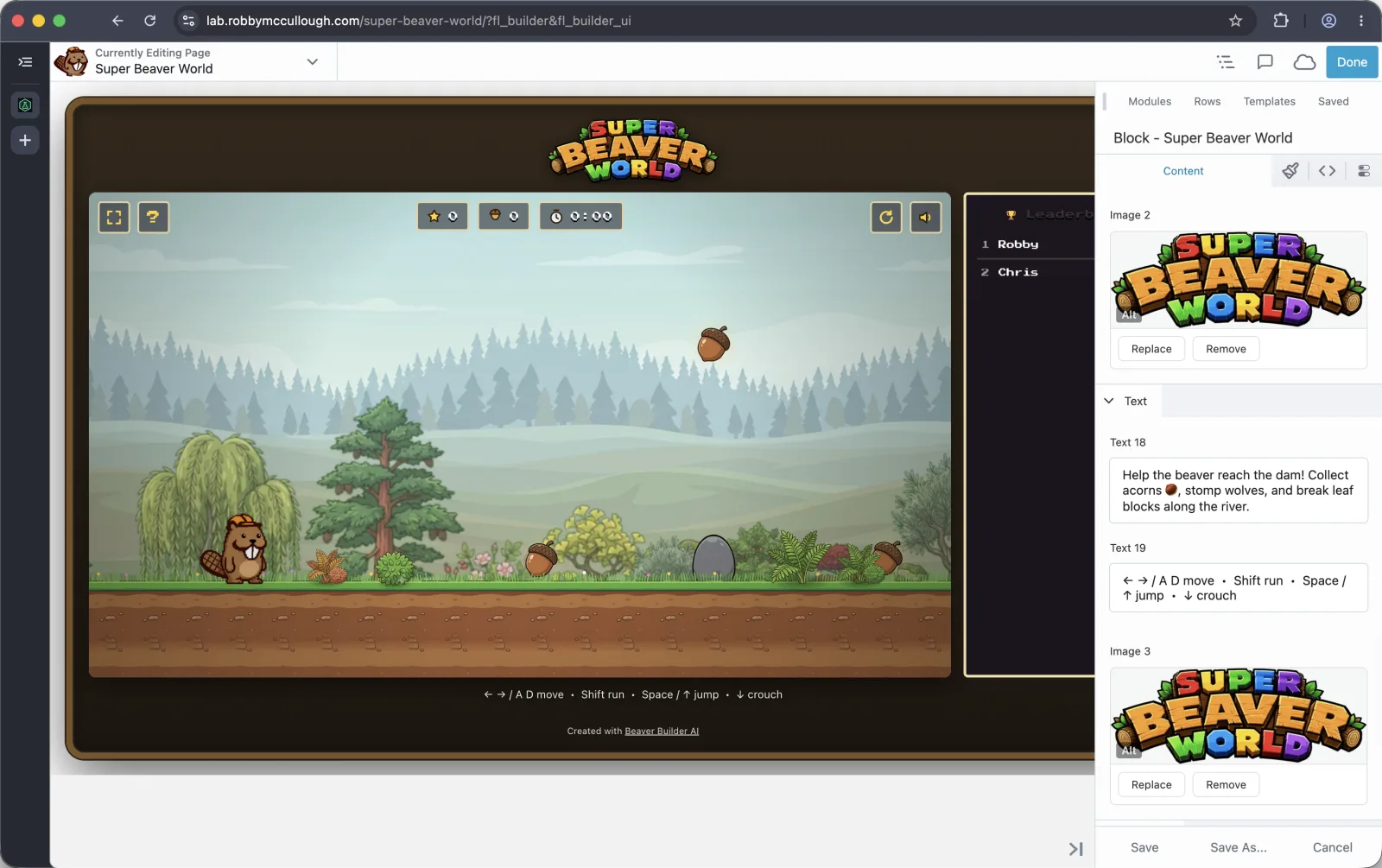
The finished game running inside the Beaver Builder editor.
Chasing those issues surfaced several specific quirks:
- The game styled
body, but Beaver Builder scoped that CSS to a class, so the centering and mobile layout were pointing at a selector that no longer existed. - A block's ID in the editor was not the same as its ID on the live page.
- Updating the page CSS replaced the existing CSS instead of adding to it.
- My centering rules covered the editor itself, making the page impossible to click until I taught the CSS to stand down inside the builder.
For a while, I was fixing the page without being able to see it. The draft preview required a login, so my automated screenshots only captured the login screen.
What finally worked was publishing to a temporary URL, screenshotting the real render, reading the pixel coordinates, and repeating the process until the frame sat dead center and the on-screen controls appeared correctly on a simulated phone.
The game now lives inside a real Beaver Builder page, centered and working on mobile.
What I keep noticing
None of the hard parts were typing. Claude Code did the typing: the loop, collision math, spring physics, and enemy behavior.
The hard parts were deciding that the particles needed to be subtler, that 1.04 beat 1.06, and that the fullscreen button should disappear on phones. The work was taste, judgment, and noticing when something felt off, then being willing to say "no, again, smaller" twenty times.
As the guy who helped build a tool for making websites without code, I find this all very on-brand and a little strange. A few years ago, this would have been a team and a quarter. This was me talking to my computer, mostly after the baby was asleep.
Go play Super Beaver World and see if you can beat my score.