
Building an Open-Source Tiny Publishing Hive
By Robby McCullough · Published June 6, 2026
I kept hitting the same small problem. I would finish a markdown note or some AI-generated document and want to share it with someone. (OpenAI's new Codex Sites solves a version of this, but it's locked to paid business plans. More below.) Sending raw markdown files through Slack or email isn't ideal. Converting them to HTML was a fun fad, but it makes them harder to edit, and it's more token intensive.
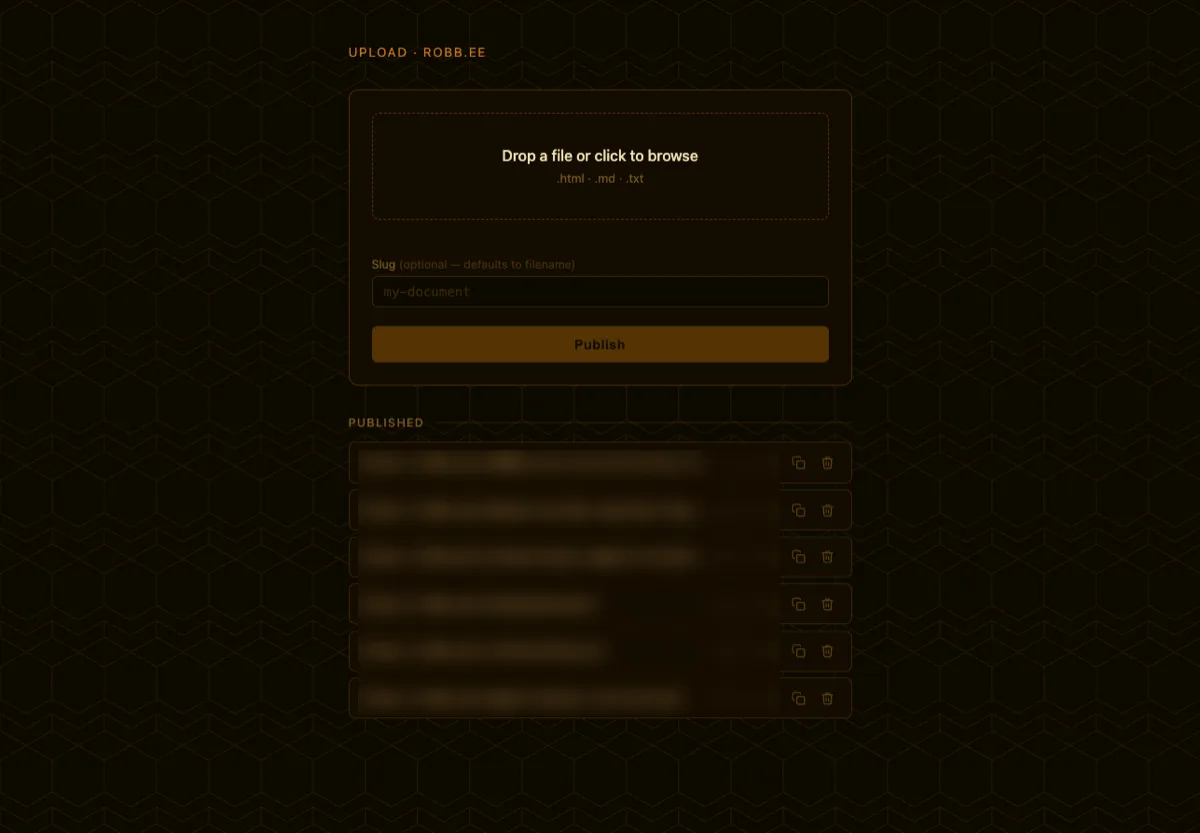
So I grabbed a short domain, robb.ee, and instead of the boring SFTP plan I first had in mind, I built a drag-and-drop upload page into the site itself.
TL;DR: I created an open-source, self-hosted project called honeydrop for anyone who wants to do the same. The project includes an agent.md playbook that you can hand off to an agent and have it build for you. All that's needed is a VPS (I chose Digital Ocean) and a domain.
One thing up front that is purely my taste: because the domain is robb.ee, I leaned into a honeybee theme. A little hive aesthetic, a wax-seal emblem, and the name honeydrop. None of that is load-bearing. The code does not care how it looks, so if you set one up you can theme it however you see fit.
Using Caddy as the Front Door
The site runs on the same cheap DigitalOcean droplet I set up in an earlier post, served by Caddy, which is a good fit for this kind of setup. Caddy can terminate HTTPS, serve static files, protect routes with Basic Auth, and reverse proxy to a local backend process.
That means Caddy does not need to run the whole application. It can do what it is great at:
- serve the landing page;
- serve uploaded static documents;
- block access to the upload UI unless I authenticate;
- proxy upload requests to a tiny local app.
The backend can then stay private. It does not need to listen on the public internet. Caddy is the only public entrypoint.
The rough shape looks like this:
robb.ee {
  root * /var/www/robb.ee/public

  handle_path /s/* {
    root * /var/www/robb.ee/shared
    file_server
  }

  file_server
}

upload.robb.ee {
  basic_auth {
    admin <hashed-password>
  }

  request_body {
    max_size 10MB
  }

  reverse_proxy 127.0.0.1:3001
}
The public site and the published files live on robb.ee, and the gated upload UI sits on its own subdomain, upload.robb.ee, behind Basic Auth. The backend never touches the public internet directly.
The Upload Backend
For the backend, the simplest useful version is a tiny Node app with Express or Fastify. It does not need to know about the whole website. It only needs to handle a few tasks:
- Show a private drag-and-drop upload page.
- Accept an uploaded
.htmlor.mdfile. - Validate the file type and size.
- Create a safe slug.
- Write the result to a static folder.
- Return the public URL.
For example, uploading project-notes.md could publish:
https://robb.ee/s/project-notes/
On disk, that might simply become:
/var/www/robb.ee/shared/project-notes/index.html
Markdown files can be rendered into a simple HTML template. Raw HTML files can be copied into place if they pass validation.
If you want to see what the rendered output actually looks like, here is a live example published with honeydrop. It started as a plain Markdown file and came out the other side as a styled page.
The Security Part Matters
This is the part that makes the project more than a toy. A public upload form is dangerous. Even a private upload form can become dangerous if it accepts arbitrary paths or executable files.
The upload flow needs several layers of protection:
- Caddy Basic Auth in front of the upload UI.
- A hashed password in the Caddyfile, never plaintext.
- A backend file size limit.
- A Caddy request body size limit.
- An explicit allowlist of file types.
- Strict slug and filename sanitization.
- No caller-controlled output paths.
- No overwriting unless that is deliberately implemented.
- No
.php,.sh,.py,.cgi, or other executable/server-side uploads.
For the first version, the allowed list can stay very small:
.html
.htm
.md
.txt
Everything else gets rejected.
Even if I am the only person with the password, the backend should still assume every upload needs validation. Passwords protect the door. Validation protects the room.
Why This Feels Useful
The result is a small personal publishing workflow with almost no friction. I can write a Markdown note, render a quick HTML prototype, or generate a one-off document and publish it at a stable URL without spinning up a new app. It is closer to a personal web workbench than a blog or portfolio.
It is also deliberately small. There are no accounts, no collaboration, and no editing a file once it is up. It is one person publishing static pages, and that narrow scope is what keeps it simple.
There is something satisfying about the loop:
make a thing -> drop it in -> get a URL -> share it
No CMS required. No giant framework required. Just enough backend to make the static web feel writable.
An Open-Source Alternative to Codex Sites
Right as I was wrapping this up, OpenAI announced Codex Sites. You describe what you want in plain language and Codex builds and hosts an interactive page or app you can share with a URL. It is a more capable take on the same share-a-thing problem I was solving, and it is hosted for you, so there is no server to run.
The catch, for now, is that it is in preview and limited to ChatGPT Business and Enterprise workspaces. More plans are supposed to follow, but if you are not on one of those today, you are waiting.
honeydrop gets you a similar, self-hosted experience with a little initial setup. You bring a VPS and a domain, spend an hour or two wiring it up or hand it to an agent, and then you own the whole thing. Your files live at your domain, on your server, on your terms.
Give It a Try
honeydrop is open source and up on GitHub: github.com/RobbyMcCullough/honeydrop.
If you've got a VPS running Caddy and a spare domain, you can have your own version going in an afternoon. The repo has a README, an example Caddyfile, and the little Node backend. Everything that was specific to robb.ee got pulled out into environment variables, so none of my setup is baked in.
The piece I'm most curious about is the agent.md playbook. Instead of working through the setup yourself, you can hand that file to an AI agent like Claude Code, point it at your server, and let it write the config and deploy the service. I built honeydrop with an agent, so it felt right to package it up so you can deploy it with one too.
If you spin one up, I'd love to hear how it goes. Issues and pull requests are welcome, and if you make something with it, send me the link on X. Preferably one you published from your own hive.