I Just Wanted a Ham Radio Cheat Sheet
By Robby McCullough · Published March 23, 2026
I had a CSV file. It had some radio frequencies in it. I wanted to put it on the internet so I could pull it up on my phone while fumbling with my Baofeng in a parking lot.
That's it. That was the whole plan.
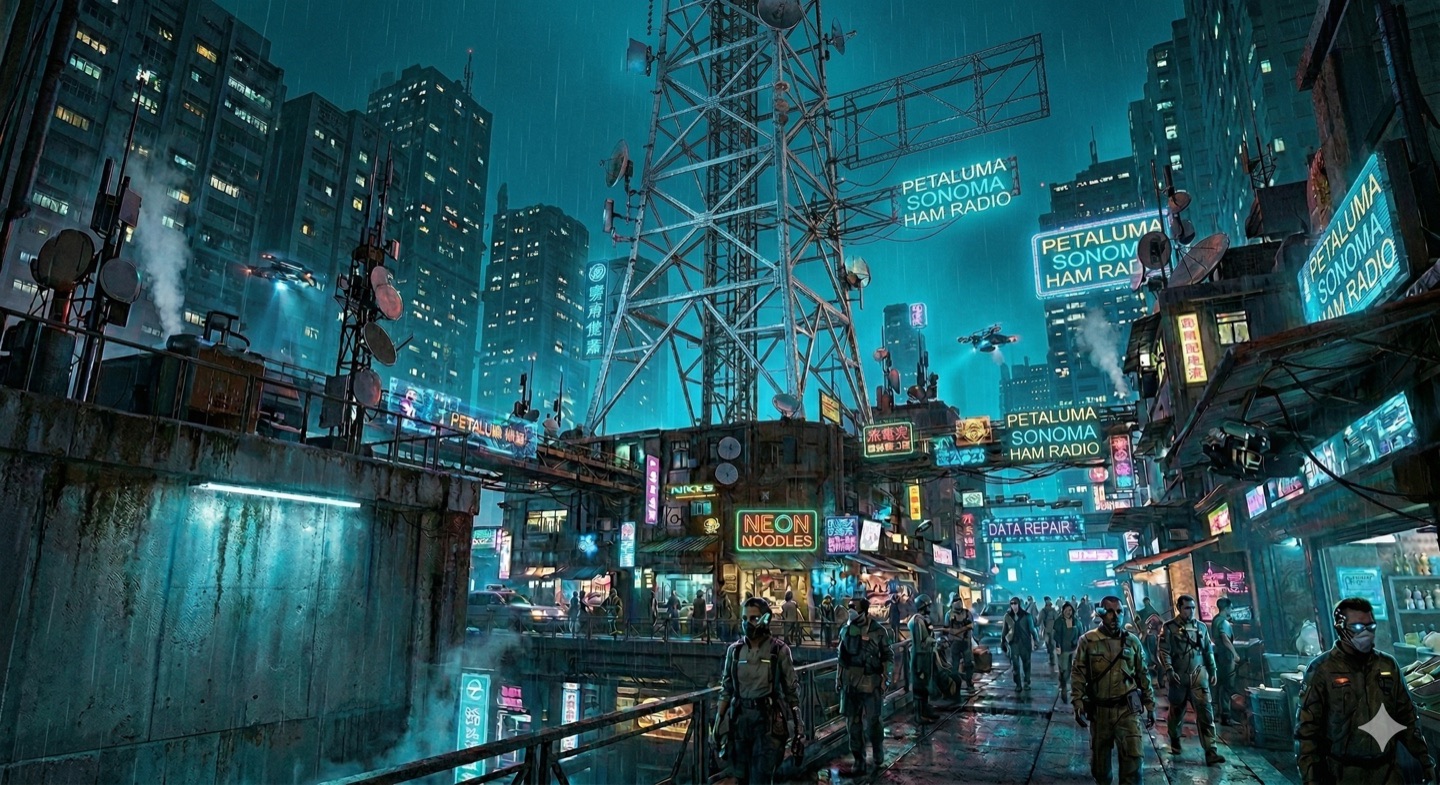
Four hours later I had a cyberpunk command center with animated radar sweeps, a CRT scanline background image, a custom Baofeng UV-5R SVG illustration, a favicon I iterated on three times because the M looked "wispy," and a SEO-optimized URL slug. The CSV is still there. It's also there.
How It Started
I dropped three files into my website folder — the HTML cheat sheet I'd been maintaining locally, a CSV export from CHIRP, and an SVG icon I'd sketched out. I told Claude Code to put them in the right places and make it work.
It moved the CSV into a data/ directory. It moved the SVG into img/. It updated all the paths. Took about 45 seconds.
I should have stopped there.
The Theme Pass
"Can you make it feel like the same site but with a distinct flavor? Like a radar, or a battleship command center?"
Reader, it delivered. Animated radar sweep. Phosphor amber for the channel numbers (CRT phosphor feel, apparently). Glass card effects with backdrop-filter: blur. A pulsing lamp indicator. Gradient border highlights on every section card. Body background built from three overlapping radial gradients.
My ham radio cheat sheet now looks like the bridge of a submarine.
The Part Where I Kept Asking for More
The inline SVG radio illustration was originally a generic desktop radio. I said it should look like a Baofeng handheld. Claude redrew it: tall portrait body, whip antenna, LCD showing 146.520 / 2M CALL, amber PTT button, keypad rows, battery pack, little radar rings off to the side. It's maybe 80 pixels wide on screen and I spent more time on it than I'd like to admit.
Then I asked to bump up the visual flair a little. Then a little more. Then the background image — I'd generated a cyberpunk cityscape PNG that was 9.4MB — got optimized to a 207KB WebP, given a dark overlay, and a CRT scanline texture layered on top of it for good measure. We went back and forth on the image opacity. This is what I do instead of sleeping.
The Favicon Situation
The M in the favicon looked wispy at first — stroke-width 3 on a 32×32 SVG. I asked for thicker. Got thicker. Then it was too cyan and not purple enough, so we shifted the gradient midpoint from #00ff88 to #cc00ff. Then I wanted it smaller with more breathing room, so the path got pulled inward and the stroke went up to 5 to compensate.
Three iterations on a 32×32 icon that most people will never consciously notice. Peak web dev behavior.
The Redirect
By the end of the night the page had a proper URL (/petaluma-sonoma-ham-radio.html), SEO meta tags, Open Graph cards, a canonical link, and a redirect from /radio so I can just text people that URL without them having to spell out the whole thing.
For a ham radio cheat sheet.
What I Actually Learned
The CSV changelog was the thing I was most glad we added. Every time I update frequencies I'll just drop a note in data/CHANGELOG.md — what changed, why, when. It's a tiny habit but it's the kind of documentation I always wish I'd done when I'm staring at a file six months later wondering why channel 47 is set to something weird.
The other thing: when you describe what you want in terms of feeling ("battleship command center," "phosphor CRT," "a little more volume on those effects"), you get better results than when you describe it technically. The AI knows what a radar sweep looks like. It knows what phosphor amber is. Just say the vibe.
The cheat sheet is live at mybbor.com/radio. The CSV is there too, if you want to program your own Baofeng. Or any radio, really. CHIRP works with most of them.